Updated March 22, 2026 ยท By Alex Mercer
How to Choose a Dash Cam in 2026: The No-BS Buying Guide
By Alex Mercer ยท Last updated: March 2026 ยท 14 min read
I've spent the last year testing dash cams โ cheap ones, expensive ones, ones that promise features they can't deliver. After installing over a dozen models across two vehicles and reviewing thousands of Amazon customer complaints, I've noticed something: most people buy the wrong dash cam. Not because they pick a bad brand, but because they don't know which features actually matter for their driving situation.
This guide isn't a product roundup. I'm not going to list 10 cameras and tell you they're all great. Instead, I'm going to walk you through exactly how to figure out what you need, what's worth paying for, and what's marketing fluff โ so when you do pick a camera, you're confident it's the right one.
Quick Answer
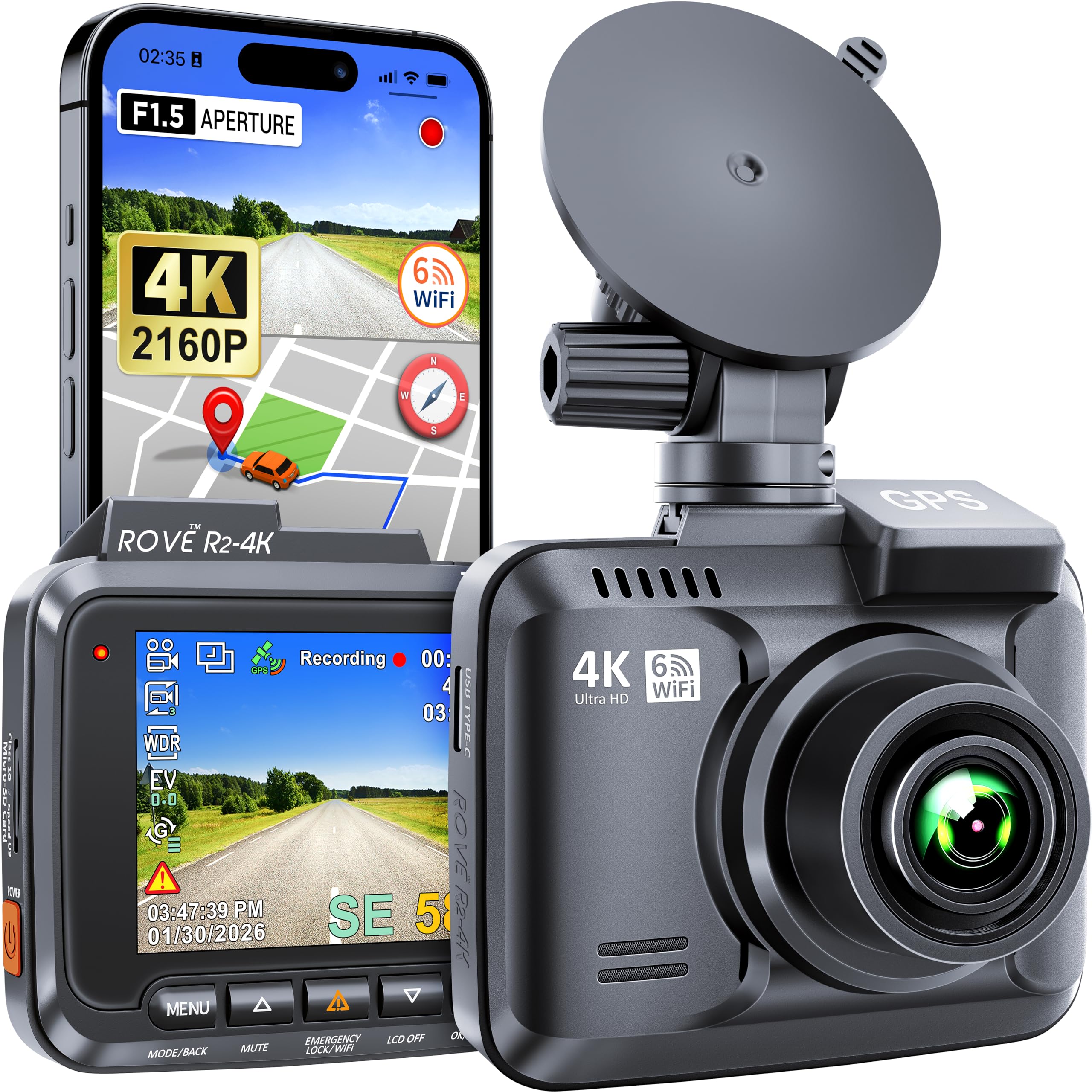
Short on time? Get the ROVE R2-4K PRO ($110) if you want the best value in a front-only 4K dash cam โ 5GHz WiFi, GPS, solid night vision. On a tight budget, the ROVE R2-4K ($75) does 90% of the same job. Pair either with a high-endurance SD card and you're set. Read on for the full breakdown of what to look for and why.
Do You Actually Need a Dash Cam?
Honest answer: probably yes, but maybe not the one you think.
If you commute daily, park in public lots, or drive in any metropolitan area โ a dash cam pays for itself the first time someone rear-ends you and claims you reversed into them. Insurance fraud is a $308 billion annual problem in the U.S., and dash cam footage is the fastest way to shut down a bogus claim.
But here's the thing people don't talk about: a dash cam you never set up is worth nothing. I see this constantly in reviews โ people buy a $130 camera, can't figure out the hardwire installation, and it sits in a drawer. If that sounds like you, a simple suction-mount camera with a cigarette lighter cable is infinitely better than a fancy hardwired system you never install.
There's also a financial angle most people miss: several insurance carriers now offer 5-15% premium discounts for verified dash cam use. On a $1,500/year policy, that's $75-225 back annually โ enough to pay for the camera itself within the first year. Call your insurer before you buy and ask if they participate. Progressive, State Farm, and a growing list of regional carriers do.
The real question isn't should I get a dash cam โ it's how much complexity am I actually willing to deal with? Keep that honest answer in mind as you read the rest of this guide.
The 6 Specs That Actually Matter (and 4 That Don't)
Every dash cam listing on Amazon throws 15 specs at you. Most of them are irrelevant. Here's what actually affects your footage quality and experience.
What Matters
1. Resolution: 4K vs 1440p vs 1080p
This one is straightforward but misunderstood. The reason 4K matters isn't that your footage "looks better" โ it's that you can read license plates at distance. At 1080p, plates become unreadable past about 30 feet. At 4K, I've clearly captured plates at 100+ feet in daylight.
My rule: if you're buying a dash cam for insurance/legal protection (which is the whole point), spend the extra $20-30 for 4K. If you just want a general record of your drives, 1440p is fine. Don't bother with 1080p in 2026 โ the price difference is negligible.
For a breakdown of the best 4K options, my best 4K front-only dash cam roundup covers the top performers.
2. Night Vision (WDR vs Starvis vs Starvis 2)
This is where cheap cameras fall apart. Daytime footage looks great on almost anything โ it's night driving that separates a $70 cam from a $130 one.
Three tiers:
- WDR (Wide Dynamic Range): The baseline. Every camera has it. Handles streetlit highways okay but struggles on dark back roads. Plates are readable maybe 60% of the time at night.
- STARVIS (Sony IMX307/335 sensors): A real step up. Better light sensitivity means cleaner footage in low light. Most cameras in the $80-120 range use these. Paired with HDR processing, this is where night footage goes from "usable" to "actually clear."
- STARVIS 2 (Sony IMX675 and newer): The current best. Noticeably sharper in true darkness โ parking garages, rural roads, heavy rain at night. Brands like Viofo are pairing STARVIS 2 with HDR across their 2026 lineup, and the difference in low-light footage is not subtle.
One thing to watch for: HDR (High Dynamic Range) processing. HDR balances bright headlights and dark shadows in the same frame โ critical for night highway driving where oncoming headlights would otherwise blow out half your footage. A STARVIS sensor with HDR is better than a STARVIS 2 without it. Most $100+ cameras include HDR in 2026, but cheaper models often skip it.
If you drive at night frequently or park in dimly lit areas, spend the money on at least a STARVIS sensor with HDR. The mini dash cam roundup has some compact options with solid night performance.
3. Parking Mode
This is the feature I didn't think I needed until my neighbor's kid sideswiped my car in the driveway. Parking mode keeps the camera recording (at low power) when your engine is off, triggered by motion or impact.
Two types:
- Motion-triggered: Camera wakes up and starts recording when it detects movement. Saves storage but might miss the first 1-2 seconds.
- 24/7 time-lapse: Records continuously at low framerate (1fps). Uses more storage but captures everything. Better for hit-and-runs.
The catch: parking mode requires constant power. You either need a hardwire kit connected to your fuse box, or an external battery pack. A cigarette lighter cable won't cut it โ your car turns off power to that port when the engine is off.
I did a deep dive on cameras specifically built around this feature in my best dash cams with parking mode guide.
4. Storage & Loop Recording
Every dash cam uses microSD cards and loop recording (oldest footage gets overwritten when the card is full). What varies is maximum card support and how the camera handles "locked" footage.
When you brake hard or get hit, the G-sensor triggers an automatic save โ that clip gets locked and protected from overwriting. Good cameras let you adjust G-sensor sensitivity. Cheap ones lock clips constantly from road bumps, filling your card with useless "emergency" footage.
My recommendation: get a camera that supports at least 256GB cards, and buy a high-endurance card designed for dash cams (regular cards die within months from constant write cycles). The Samsung PRO Endurance 128GB and SanDisk High Endurance 256GB are the two I recommend โ both rated for tens of thousands of hours of continuous recording. A 256GB card holds roughly 15 hours of 4K footage โ plenty for most drivers.
5. WiFi & App Quality
You're going to want to review footage on your phone at some point โ probably in a parking lot after an incident. WiFi quality determines whether that takes 30 seconds or 10 minutes.
The difference between 2.4GHz and 5GHz WiFi is real:
- 2.4GHz: ~5 MB/s transfer speed. A 3-minute 4K clip takes about 2 minutes to download.
- 5GHz (marketed as "5G WiFi"): ~20 MB/s. Same clip downloads in 30 seconds.
Just as important: the app itself. Some brands have polished apps that let you trim clips, adjust settings, and stream live. Others have buggy nightmares that crash every third attempt. Read the 1-star Amazon reviews โ app complaints are the most reliable signal of a bad product experience.
6. GPS
Built-in GPS stamps your footage with speed and location data. Sounds minor, but it's powerful in insurance disputes โ your footage now has verifiable proof of where you were and how fast you were going.
Two versions exist:
- Built-in GPS: Always on, no extra parts. Adds $10-20 to the price.
- External GPS module: Sold separately, connects via cable. Cheaper cameras use this to keep the base price low.
If you're spending $80+, just get built-in GPS. Dealing with an external module dangling behind your mirror isn't worth saving $10.
What Doesn't Matter (Despite Marketing Hype)
Screen size. You'll look at the camera's screen during setup and maybe 2 more times ever. A 2" screen vs a 3" screen makes zero practical difference โ you're viewing footage on your phone anyway.
"AI" features. Lane departure warnings, driver fatigue alerts, ADAS โ these features are genuinely terrible on standalone dash cams. They false-alarm constantly. Leave this to your car's built-in systems or a dedicated device.
"4K + 4K dual" marketing. When a camera advertises "4K front + 4K rear," both cameras are sharing processing power. The real-world quality of each feed is noticeably below a dedicated single 4K camera. If you're considering dual, expect the rear to be more like upscaled 1440p. My 4K dual dash cam roundup has honest footage comparisons.
Max framerate. 30fps at 4K is standard and plenty for capturing incidents. 60fps at 1080p looks smoother but gives you less detail. Stick with 4K/30fps.
Single Camera vs Dual: The Decision Framework
This is the most common question I get, and the answer depends on three things:
Go front-only if:
- You primarily want insurance/accident protection (most collisions are frontal)
- You park in a garage or low-risk area
- You want the simplest possible installation
- You'd rather put your budget into one excellent camera
- You're a first-time dash cam buyer
Go dual (front + rear) if:
- You park on the street regularly
- You drive rideshare or delivery (passengers and rear-end coverage)
- You've had a rear-end incident before
- You want complete coverage and don't mind running a cable to the back window
- Your budget is $100+
The honest math: A $110 front-only camera gives you better footage quality than a $110 dual camera โ always. You're splitting the budget between two sensors and a longer cable run. If front coverage is 90% of what matters to you, a front-only 4K cam is the smarter buy.
For the best front-only options, I compared five models head-to-head here. If you're leaning dual, start with my best front and rear 4K dash cam guide.
What You Should Actually Spend
I've tested cameras at every price point. Here's where the value sits in 2026:
Under $75: The Starter Tier
You can get a capable 4K front-only camera at this price โ the market has driven costs down significantly. Expect: 4K resolution, basic WiFi (2.4GHz), GPS, WDR night vision, and loop recording. Don't expect: premium night vision, fast WiFi, or a polished app experience.
Best for: first-time buyers, people who want basic coverage without overthinking it.
See my best dash cams under $100 for the top budget options.
$75โ$120: The Sweet Spot
This is where I'd spend if I were buying one camera today. At this range, you get meaningful upgrades: 5GHz WiFi, better sensors (STARVIS), more reliable parking mode, and apps that actually work. The jump from a $70 camera to a $100 camera is the biggest quality leap in the entire market.
Best for: most drivers. Commuters, parents, anyone who wants reliable footage without spending $200+.
$120โ$200: Premium Features
At this price, you're getting STARVIS 2 sensors, dual cameras with genuinely good rear footage, premium build quality, and cloud connectivity. The diminishing returns start here โ the jump from $100 to $150 isn't as dramatic as $70 to $100.
Cloud features are worth addressing specifically: cameras from Blackvue and Thinkware offer LTE connectivity, letting you stream live footage from your phone anywhere and get push notifications when parking mode triggers. This is genuinely useful if you're a street parker who wants real-time theft alerts โ but it comes with a monthly subscription ($5-12/month depending on the plan). Most people don't need it.
Best for: night drivers, rideshare/delivery drivers, anyone parking in high-risk areas who wants the best possible footage.
Over $200: Overkill for Most
Unless you're a fleet manager, a long-haul trucker, or you specifically want cloud monitoring with LTE, you don't need to spend $200+. The cameras at this tier add cloud storage subscriptions, multi-camera systems, and commercial-grade features. Skip it for personal use.
Installation: The Part Everyone Overthinks
There are two ways to install a dash cam, and one is dramatically easier than the other.
Option 1: Plug and Play (10 minutes)
Stick the mount to your windshield, plug the cable into your cigarette lighter, route the cable along the headliner. Done. Anyone can do this. The downside is a cable running to your center console and no parking mode support (power cuts when the engine's off).
My tip: Use the included cable clips to tuck the wire behind your headliner and A-pillar trim. It takes 5 extra minutes and makes the install look clean. A plastic trim removal tool ($5 on Amazon) helps but isn't necessary โ your fingers work fine.
Option 2: Hardwire (30โ60 minutes)
A hardwire kit connects the camera directly to your fuse box, giving it constant power for parking mode. Sounds intimidating, but it's genuinely not hard if you can follow a YouTube tutorial.
You need: a hardwire kit ($15-25) โ the Vantrue USB-C hardwire kit and REDTIGER F7N hardwire kit are both solid โ plus a fuse tap that matches your car's fuse type (mini, micro, or standard โ check your manual), and a plastic trim tool. The install is: identify an always-on fuse (like interior lights), tap into it, route the cable behind your headliner, connect to the camera. Total time: 30-60 minutes depending on your car.
I compared the best hardwire kits in my Vantrue vs REDTIGER hardwire comparison โ the build quality difference between cheap and good kits is significant.
One warning: if you're uncomfortable with fuses, have a car audio shop do it. Most charge $30-50 for a dash cam hardwire, and that's worth the peace of mind over potentially blowing a fuse in your first attempt.
Brands Worth Knowing (and a Few to Skip)
The dash cam market is flooded with white-label cameras from Shenzhen factories rebranded under 50 different names. Most of them are fine for 6 months, then the firmware never gets updated, the app stops working, and customer support is a Gmail address that never responds.
The reliable tier:
- Viofo โ the Reddit community's consensus pick, and for good reason. Active firmware updates, genuinely good sensors, and their A119 Mini 2 and A329 lineup compete with cameras at 2x the price. If you spend any time in r/dashcam, this is the brand you'll see recommended most.
- ROVE โ strong Amazon presence, good warranty support, and their R2-4K line has been consistently solid for years. Not as technical as Viofo, but easier to buy and set up for non-enthusiasts.
- Vantrue โ known for parking mode features and taxi/rideshare cameras. Solid build quality. Firmware updates are regular.
- REDTIGER โ good value in the budget-to-mid range. Their hardwire kits are among the best.
The premium tier (if budget allows):
- Blackvue โ the gold standard for cloud connectivity and fleet features. Expensive, but their app and remote monitoring are years ahead of competitors.
- Thinkware โ South Korean engineering, excellent build quality, radar-based parking mode on premium models. The U3000 Pro is one of the best cameras made right now.
Skip: No-name brands with less than 500 Amazon reviews, anything where the product listing has obvious translation errors, and any camera that doesn't list the sensor model in its specs. If a brand won't tell you what sensor they're using, it's because the answer would lose the sale.
7 Mistakes I See Buyers Make
After reading thousands of Amazon reviews and questions, these are the patterns:
1. Buying a 128GB card instead of a high-endurance one. Regular microSD cards aren't designed for continuous video recording. They fail within 3-6 months. Samsung PRO Endurance or SanDisk High Endurance cards cost $5-10 more and last years. This is the most common complaint I see: "my camera stopped recording and I didn't know for weeks."
2. Setting G-sensor sensitivity too high. Default sensitivity locks a clip every time you hit a speed bump. Set it to medium or low โ you want it triggering on actual impacts, not rough pavement.
3. Not formatting the card monthly. Dash cam cards accumulate fragmented data. A monthly format (through the camera's menu, not your computer) keeps things clean and prevents the camera from crashing or skipping frames.
4. Mounting the camera behind the rearview mirror tint band. That dark tint strip at the top of your windshield kills video quality. Mount just below it โ the camera should have a clear view of unobstructed glass.
5. Ignoring the operating temperature range. In Arizona summers, your car interior hits 160ยฐF+. A camera with a capacitor (not a lithium battery) survives extreme heat. Lithium batteries swell and die. If you live somewhere hot, check this spec โ it's not listed on many Amazon pages, but it's in the manual.
6. Buying from brands with no customer support. When your camera needs a firmware update (and it will), you want a brand that actually hosts firmware on their website and answers support emails. I've tested cameras from brands where the "support website" was a dead link. ROVE, Vantrue, and REDTIGER all have functioning support ecosystems.
7. Expecting the rear camera to be as good as the front. It won't be. Rear cameras use smaller sensors and get less processing priority. Set your expectations accordingly โ the rear is for context, not plate-reading.
My Picks by Driving Situation
Rather than a generic "best overall" list, here's what I'd actually buy based on how you drive:
Daily Commuter (Highway + City)
What you need: Front-only 4K, GPS, basic parking mode, reliable WiFi.
What you don't need: Dual cameras, STARVIS 2, cloud features.
Budget: $75-110.
Start here: My front-only 4K dash cam roundup ranks the top options.
Street Parker in a City
What you need: Parking mode is non-negotiable. Hardwire kit. Motion detection with push notifications.
What you don't need: Ultra-fast WiFi (you'll review footage at home, not roadside).
Budget: $100-150 (camera + hardwire kit).
Start here: Dash cams with parking mode for the camera, and hardwire kit comparison for installation.
Rideshare / Delivery Driver
What you need: Dual cameras (front + interior or front + rear). Good night vision. Continuous recording. Large storage support.
What you don't need: Tiny/discreet cameras โ your passengers can see it.
Budget: $110-150.
Start here: 4K dual dash cams covers the best two-camera setups.
Motorcycle Rider
What you need: Waterproof body, vibration-resistant mount, front + rear if possible.
Budget: $80-200 depending on features.
Start here: 4K motorcycle dash cams โ completely different category from car cameras.
Budget-Conscious First Timer
What you need: Just something that works. 4K, front-only, simple installation.
What you don't need: Every feature listed above.
Budget: Under $80.
Start here: Best dash cams under $100 has several solid options in the $65-80 range.
Night Driver
What you need: STARVIS 2 sensor, dual cameras with strong rear night performance.
Budget: $120-160.
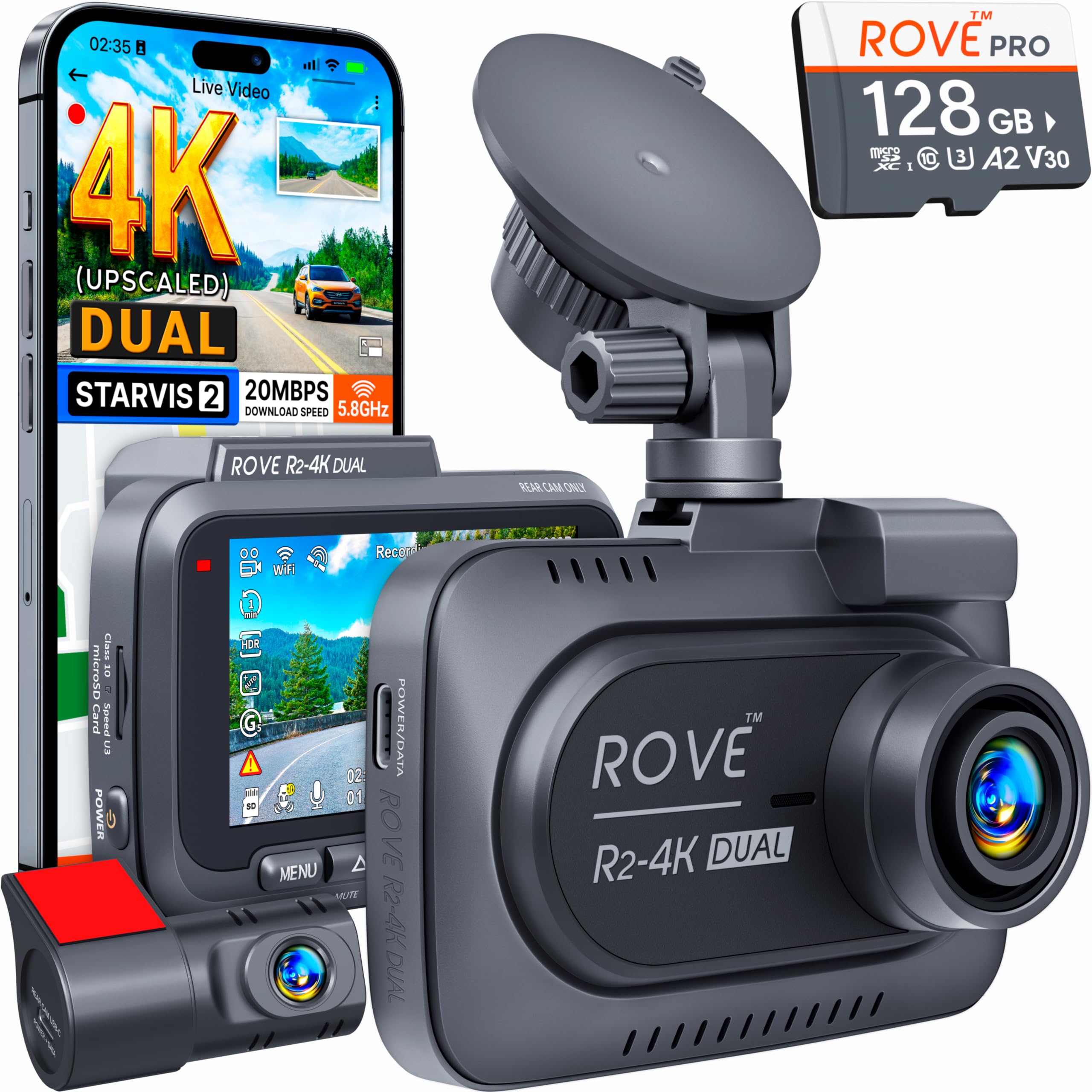
Start here: The ROVE R2-4K DUAL with STARVIS 2 tops my 4K dual list for a reason.
FAQs
Will a dash cam drain my car battery?
Only if hardwired without a voltage cutoff. Every decent hardwire kit includes a low-voltage cutoff that shuts the camera off before it drains your battery. Set it to 11.8V for 12V batteries. If you're using the cigarette lighter, there's zero risk โ the camera only runs when the car is on.
Is dash cam footage admissible in court?
In all 50 U.S. states, yes โ dash cam footage from your own vehicle is legal and admissible. Some states (like California and Illinois) have windshield-mounting restrictions on size and placement, but the footage itself is always usable. Check your state's windshield obstruction laws before mounting.
Can I use my dash cam footage for insurance claims?
Yes, and this is one of the most under-discussed benefits of owning a dash cam. Most insurers accept footage and it typically speeds up claims significantly โ what used to be a weeks-long he-said-she-said process becomes a 5-minute review. Some insurers go further: Progressive, State Farm, and several regional carriers offer 5-15% premium discounts for verified dash cam use. Call your insurer and ask โ the discount alone can pay for a budget camera within a year. Save footage immediately after any incident, and email it to your agent alongside the police report.
How often should I replace my dash cam?
The camera itself should last 3-5 years. The microSD card is what fails first โ replace it every 1-2 years even if it seems fine. A failing card might drop frames or stop recording without any visible error. Some cameras have an SD card health indicator in the settings menu.
Does extreme cold or heat damage dash cams?
Heat is the bigger risk. Cameras with lithium batteries can swell and die above 140ยฐF (common inside a parked car in summer). Cameras with capacitors handle heat much better โ look for "supercapacitor" in the specs if you live in a hot climate. Cold rarely causes damage, but battery-powered cameras may not start recording immediately in sub-zero temps.
What about privacy and recording laws?
Dashcam video of public roads is legal everywhere in the U.S. If you're recording audio inside the car (most cameras have a mic), two-party consent states require your passengers to know. Simple fix: either disable audio recording in settings, or put a small "dash cam recording" sticker on your dashboard. Most rideshare drivers go with the sticker.
The Bottom Line
A dash cam is one of the few car accessories that can literally pay for itself in a single incident. But the "best" dash cam isn't the most expensive one โ it's the one that matches your actual driving situation and that you'll actually install and maintain.
If you take one thing from this guide: spend at least $75, get 4K, and buy a high-endurance SD card. The ROVE R2-4K at ~$75 and the ROVE R2-4K PRO at ~$110 are where most people should start. Everything beyond that โ dual cameras, hardwire kits, STARVIS sensors โ depends on your specific needs.
Don't let perfect be the enemy of good here. A $75 camera mounted on your windshield today protects you more than a $200 camera sitting in an Amazon box on your counter.
This article contains affiliate links. If you purchase through them, I earn a small commission at no extra cost to you. Full disclosure.